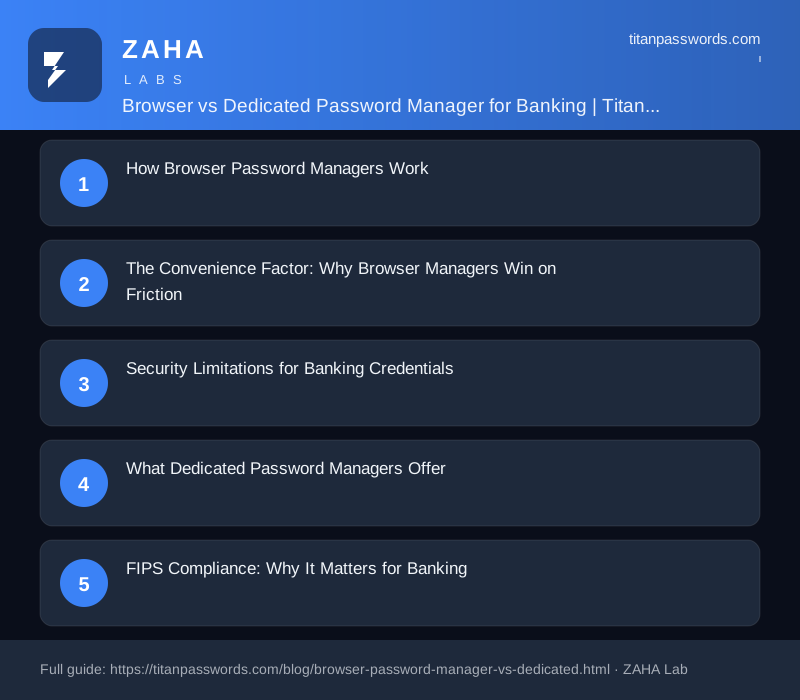
Almost every modern browser offers to save your passwords, and most people accept. It is free, built in, and fills your bank login with a single click. But "convenient" and "safe enough for your money" are not the same thing. When the credential in question unlocks a current account, a savings pot, or a brokerage portfolio, the gap between a browser based password manager and a dedicated, standalone vault stops being academic.
This guide breaks down exactly how each option works, where browser managers fall short for financial accounts, what dedicated tools add, and why standards such as FIPS validation matter once real money is involved. By the end you will know which approach — or which combination — fits your banking security needs.
How Browser Password Managers Work
A browser based password manager is the credential store baked into Chrome, Microsoft Edge, Safari, or Firefox. When you log in to a site, the browser offers to remember the username and password, and on your next visit it autofills them. Behind the scenes, those credentials are saved to a local database on your device and, if you are signed in to the browser, synced to the vendor's cloud (Google Account, iCloud Keychain, Microsoft Account, or a Firefox Account).
The critical detail is how the data is protected at rest. Historically, browser vaults encrypted passwords using a key derived from your operating-system user login. In practice that meant anyone — or any program — operating inside your unlocked user profile could decrypt the stored passwords with no further challenge. There was no separate master password gating the vault. Browsers have since added optional protections: Chrome can prompt for your device password before filling, Firefox offers a Primary Password, and Safari is guarded by your Apple ID and device biometrics. But these are opt-in or ecosystem-bound, and the default experience still favours frictionless autofill over hardened secrecy.
The Convenience Factor: Why Browser Managers Win on Friction
There is a reason browser managers dominate by sheer usage: they are effortless. There is nothing to install, no account to create, and no master password to memorise. Autofill works instantly on the device you are already using, password generation is one click away, and sync across your own devices is automatic if you are signed in.
For a casual user juggling dozens of low-stakes logins, that frictionlessness genuinely improves security in one narrow way — it nudges people away from reusing the same weak password everywhere. A browser that suggests a unique random string for a forum sign-up is better than a human typing password123 for the tenth time. The problem is that the same low-friction model that helps with throwaway accounts becomes a liability when the saved credential guards your bank.
Security Limitations for Banking Credentials
When you scrutinise a browser vault against the threats that actually target financial accounts, several structural weaknesses appear:
- Weak encryption at rest by default. Without a separate passphrase, the vault is decrypted automatically whenever your user profile is active. Info-stealing malware such as RedLine, Raccoon, and Lumma is purpose-built to scrape exactly these browser credential stores, and it remains one of the most common precursors to account takeover.
- No zero-knowledge guarantee. Dedicated managers are architected so the provider can never read your vault. Browser sync models are tied to your wider platform account, where the security boundary is broader and the recovery paths are softer.
- Tied to one ecosystem. Passwords saved in Chrome are awkward to use in Safari or a native banking app. People work around this by re-saving credentials in multiple places, multiplying the attack surface.
- Limited breach intelligence. Browsers do basic compromised-password checks, but they lack the continuous dark-web monitoring, data-breach alerting, and credential-health scoring that flag a leaked banking login before a criminal uses it.
- Phishing exposure. Autofill matching in browsers can be loosened by lookalike domains; a disciplined dedicated manager refuses to fill on a domain that does not match the saved record, which is a quiet but effective anti-phishing control.
What Dedicated Password Managers Offer
A dedicated password manager is a standalone application whose entire purpose is to protect secrets. Tools such as NordPass, 1Password, and Bitwarden are engineered around a few principles that browser managers were never designed to deliver:
- Zero-knowledge, master-password encryption. Your vault is encrypted with a key derived from a master password that is never transmitted or stored on the provider's servers. Even the vendor cannot decrypt your data.
- Modern, audited cryptography. Strong key derivation (Argon2 or PBKDF2 with high iteration counts) and AES-256 or XChaCha20 encryption, often backed by independent third-party security audits.
- Cross-platform autofill. The same vault fills credentials in every browser, in mobile and desktop apps, and inside native banking apps — no re-saving in multiple silos.
- Breach and dark-web monitoring. Continuous alerts when one of your stored logins appears in a known breach, plus password-health dashboards that surface weak or reused credentials.
- Auto-lock and session control. The vault relocks after inactivity and requires the master password or biometrics to reopen, sharply limiting what malware in an active session can reach.
- Secure sharing and recovery. Encrypted sharing for joint accounts, emergency access, and structured account recovery that does not weaken the encryption model.
Before any of those features matter, the credential itself has to be strong. You can build a high-entropy, bank-grade password with the Titan Passwords generator and store it directly in whichever dedicated vault you choose.
⚡ Editor's pick for banking: NordPass — up to 50% off the 2-year Premium plan. Zero-knowledge XChaCha20 encryption, data-breach scanning, and cross-platform autofill, from the team behind NordVPN. A strong, affordable upgrade from leaving banking logins in your browser.
FIPS Compliance: Why It Matters for Banking
FIPS (Federal Information Processing Standards) 140-2 and its successor 140-3 are US government standards that certify a cryptographic module has been independently tested and validated by an accredited lab. The distinction matters: any product can claim "AES-256 encryption," but FIPS validation means a third party confirmed the implementation is correct, the random number generation is sound, and the key handling is not quietly broken.
For everyday personal banking, FIPS validation is not legally required. But it is one of the clearest trust signals you can look for, because it moves security from a marketing claim to an audited fact. It becomes genuinely important if you:
- Handle business or commercial banking credentials where a compliance framework (PCI-DSS, SOC 2, or sector regulation) references validated cryptography.
- Manage fiduciary funds, client money, or operate inside a regulated financial environment.
- Work for an employer whose security policy mandates FIPS-validated tools for storing sensitive secrets.
Browser password managers do not market FIPS validation. Several dedicated managers do offer FIPS-validated cryptographic modules or FIPS-mode deployments in their business and enterprise tiers — another reason the dedicated category pulls ahead once money and regulation enter the picture.
Feature Comparison: Browser vs Dedicated
| Capability | Browser Password Manager | Dedicated Password Manager |
|---|---|---|
| Master-password vault | Optional / off by default | ✓ Required, zero-knowledge |
| Encryption at rest | Tied to OS login | AES-256 / XChaCha20 |
| Auto-lock after inactivity | Rare | ✓ Configurable |
| Cross-browser & app autofill | Single ecosystem | ✓ Everywhere |
| Dark-web / breach monitoring | Basic checks | ✓ Continuous |
| Password health reports | Limited | ✓ Full dashboard |
| Secure sharing | ✗ No | ✓ Encrypted |
| Encrypted notes & documents | ✗ No | ✓ Yes |
| FIPS-validated option | ✗ No | ✓ Available (business tiers) |
| Independent security audits | Internal | ✓ Third-party |
| Cost & convenience | Free, zero setup | Free–paid, light setup |
Bitwarden is worth a mention here for cost-conscious readers: its open-source, audited codebase delivers genuine zero-knowledge protection on a capable free tier, making it one of the easiest upgrades from a browser vault.
When a Browser Password Manager Is Enough
A dedicated manager is the right call for anything tied to your money or identity — but browser managers are not worthless. They are a reasonable fit when:
- The accounts are genuinely low stakes — newsletters, forums, one-off shopping logins, or trial sign-ups where a breach would be a mild annoyance, not a financial event.
- You have enabled the browser's extra protections (a Firefox Primary Password, on-fill device authentication in Chrome, or biometrics in Safari) so the vault is not trivially readable.
- You stay disciplined inside one ecosystem and do not need the same credentials in native apps or other browsers.
The decisive rule is sensitivity. If losing the account would cost you money, expose personal data, or hand someone a foothold into your other accounts (as your email does), it does not belong in a browser vault. Banking, brokerage, email, tax portals, and crypto exchanges sit firmly on the dedicated-manager side of that line.
The Hybrid Approach: Best of Both Worlds
You do not have to choose one tool for everything. The most pragmatic setup splits credentials by risk:
- Make a dedicated manager your source of truth for banking, email, investments, government, and any account that could cause real harm if breached. Protect it with a long, unique master password and turn on multi-factor authentication for the vault itself.
- Turn off browser autofill for financial sites. If both tools try to save the same banking login, you get duplicate and stale copies, which leads to lockouts and confusion. Let the dedicated manager own those records exclusively.
- Optionally keep low-stakes logins in the browser if you value the convenience — but disable browser password saving entirely if you want a single, clean vault.
- Pair the vault with strong MFA. A great password manager protects the password; phishing-resistant MFA protects the login. Together they are far stronger than either alone — see our guide to MFA for financial accounts.
This hybrid model gives you the browser's frictionless feel where it is harmless, and the dedicated vault's hardened, audited, FIPS-capable protection exactly where your money lives.
The Verdict for Banking
For protecting bank and financial credentials, a dedicated password manager is clearly the safer choice. It locks by default, encrypts under a master password the vendor can never read, monitors for breaches, fills securely across every device, and — in its business tiers — can meet FIPS-validated requirements that browser managers do not even claim to address. A browser based password manager is fine for low-stakes logins and far better than password reuse, but it was built for convenience, not for guarding your money.
Pick a dedicated vault — NordPass, 1Password, or Bitwarden are all strong starting points — fill it with high-entropy passwords from the Titan Passwords generator, and reserve the browser for the logins that do not matter.
Frequently Asked Questions
Is a browser based password manager safe for banking?
It is acceptable for low-risk logins but not the strongest choice for banking. Browser managers historically tied vault encryption to your OS login rather than a separate master password, so anyone with access to your unlocked profile could view saved credentials. Modern browsers have added optional passphrases, but they still lack the independent zero-knowledge architecture, breach monitoring, and FIPS-validated cryptography of dedicated managers. For financial accounts, a dedicated manager plus strong MFA is safer.
What is the difference between a browser password manager and a dedicated password manager?
A browser password manager is built into Chrome, Edge, Safari, or Firefox and stores logins for use within that browser. A dedicated password manager is a standalone app that works across every browser, app, and device, adding zero-knowledge encryption with a separate master password, breach monitoring, secure sharing, and encrypted notes. Browser managers prioritise convenience inside one ecosystem; dedicated managers prioritise security and portability.
Does FIPS compliance matter for personal banking passwords?
For everyday personal banking it is not mandatory, but FIPS 140-2/140-3 validation is a strong signal that encryption is implemented correctly rather than just claimed. If you handle business banking, fiduciary funds, or work in a regulated environment, FIPS-validated cryptography may be required by your compliance framework. Browser managers do not advertise FIPS validation; several dedicated managers do in their business tiers.
Can hackers steal passwords from my browser password manager?
Yes, under certain conditions. Info-stealing malware such as RedLine, Raccoon, and Lumma specifically targets browser credential stores because they are often weakly protected at rest and decrypt automatically when your profile is active. If your browser vault has no separate encryption passphrase, malware running under your account can extract saved logins. Dedicated managers reduce this by keeping the vault encrypted with a master password never stored on disk and by auto-locking after inactivity.
Should I use both a browser and a dedicated password manager?
You can, but split them by sensitivity. Use a dedicated manager as the single source of truth for banking, email, and any account that could cause financial or identity harm. Leave low-stakes logins in the browser if you prefer the convenience. Turn off browser autofill for financial sites so the two tools do not save conflicting copies of the same credential.